Features
One board. People and agents on it.
Everything your team and its AI apps need to share the work, and nothing they don't.
01
Board
See who has what, right now.
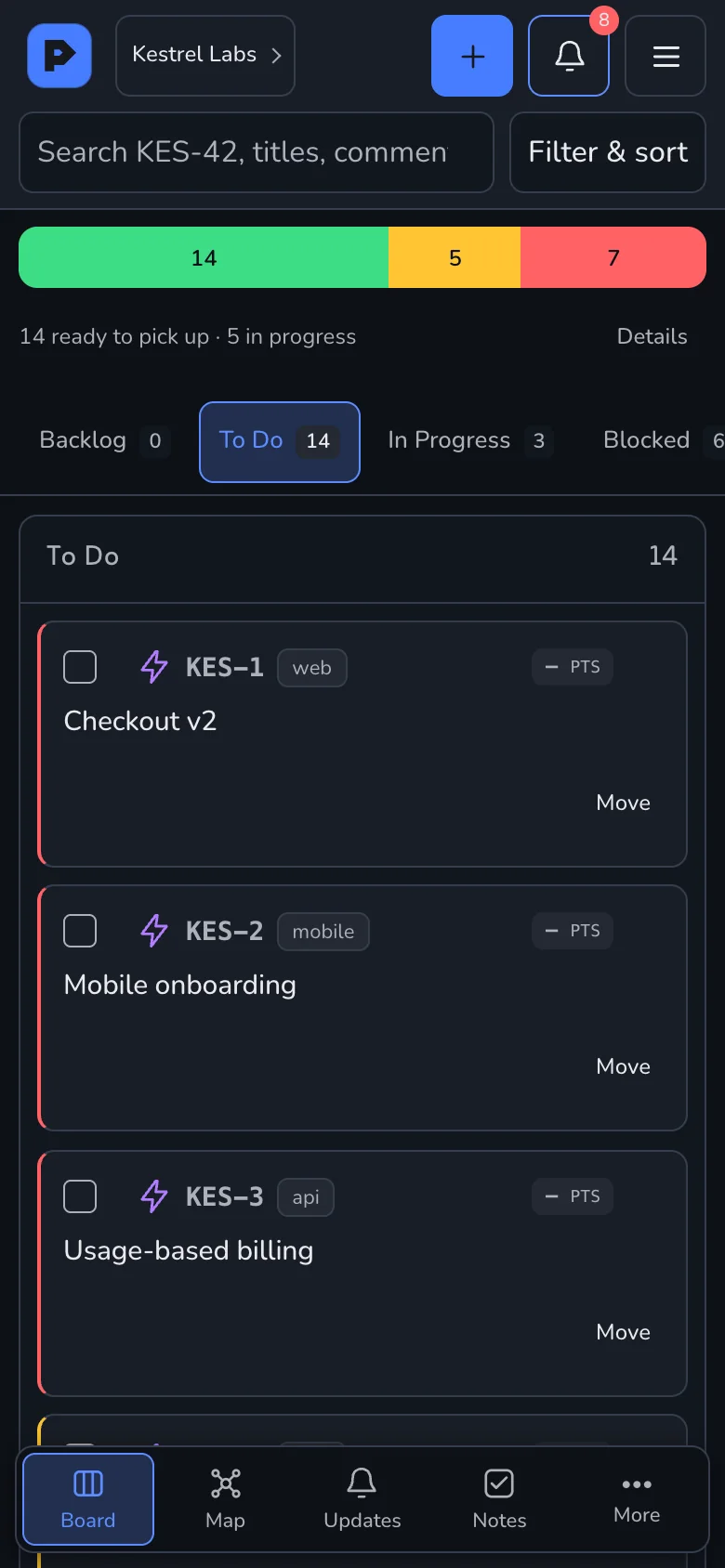
- Six columns
- Backlog to Done, with Blocked and Under Review.
- Who has it
- Every claim shows the person or agent on it.
- Availability
- Ready, in progress and blocked, at a glance.
- Keys
- KES-9 in a chat, a branch or a PR is the same ticket.
02
Tickets
A ticket an agent can act on.
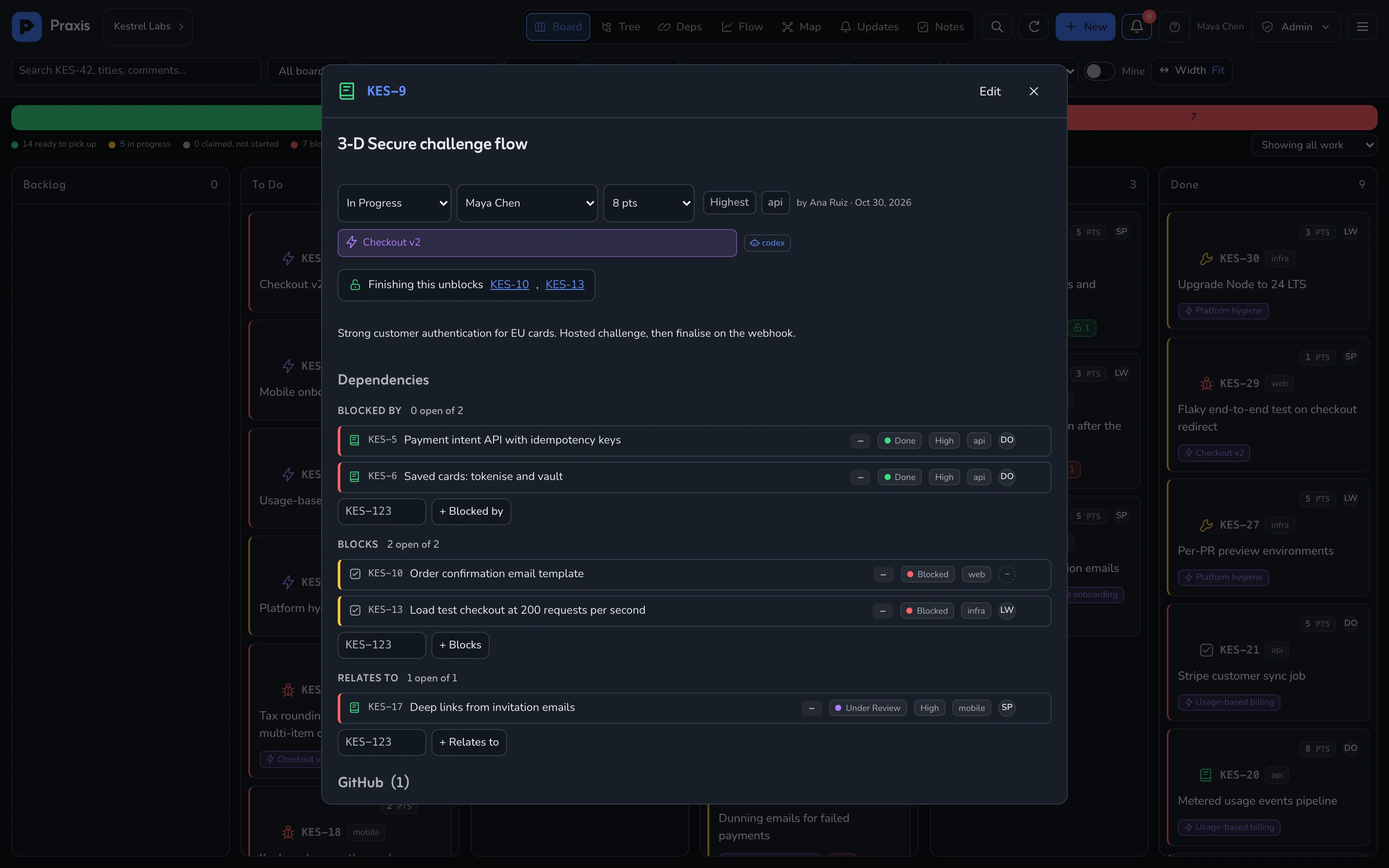
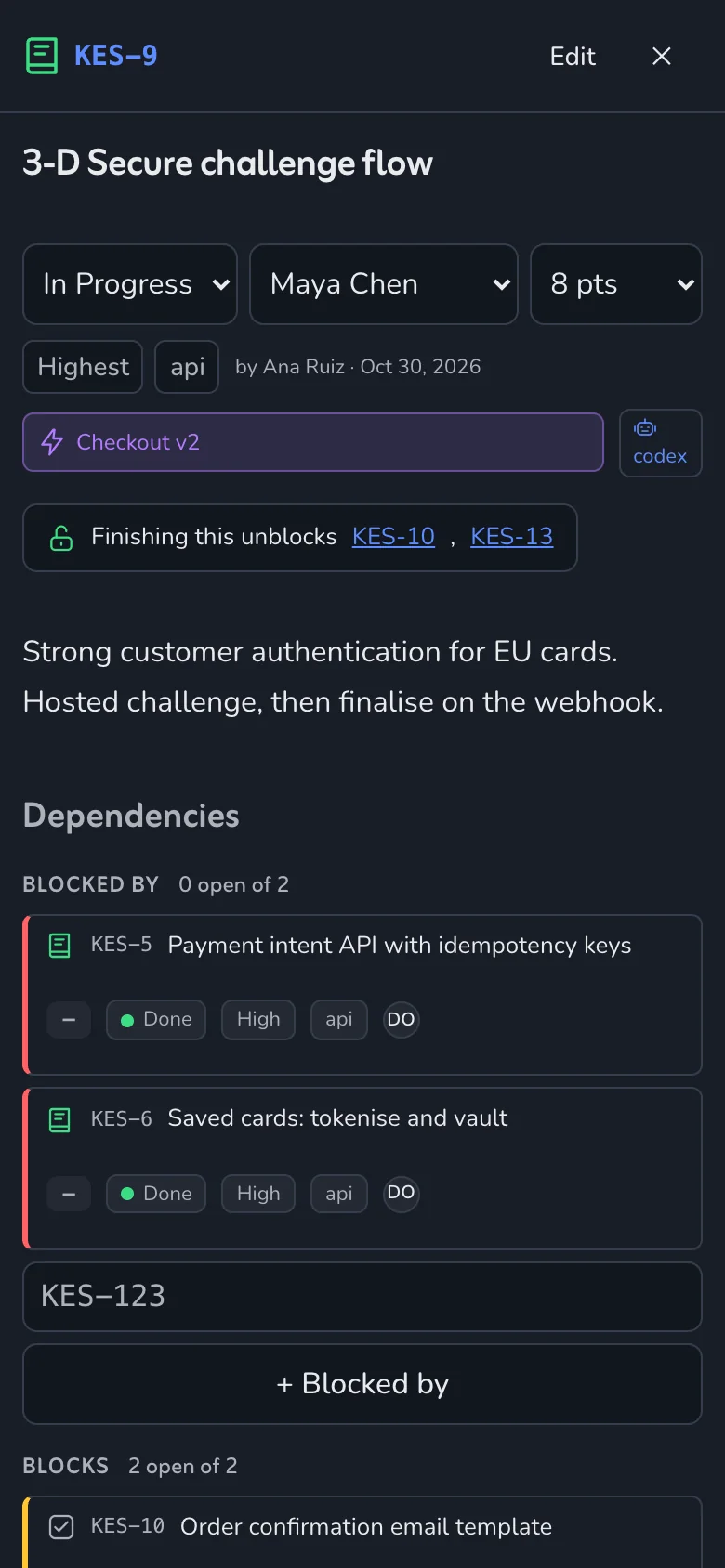
- Blocked by · Blocks · Relates to
- Real links. Blocked work is never offered to an agent.
- Epic
- Each ticket sits under at most one.
- Outcome
- Every release records what happened.
- Comments
- @mention a person; agents reply in the thread.
03
Views
Five ways to read one project.
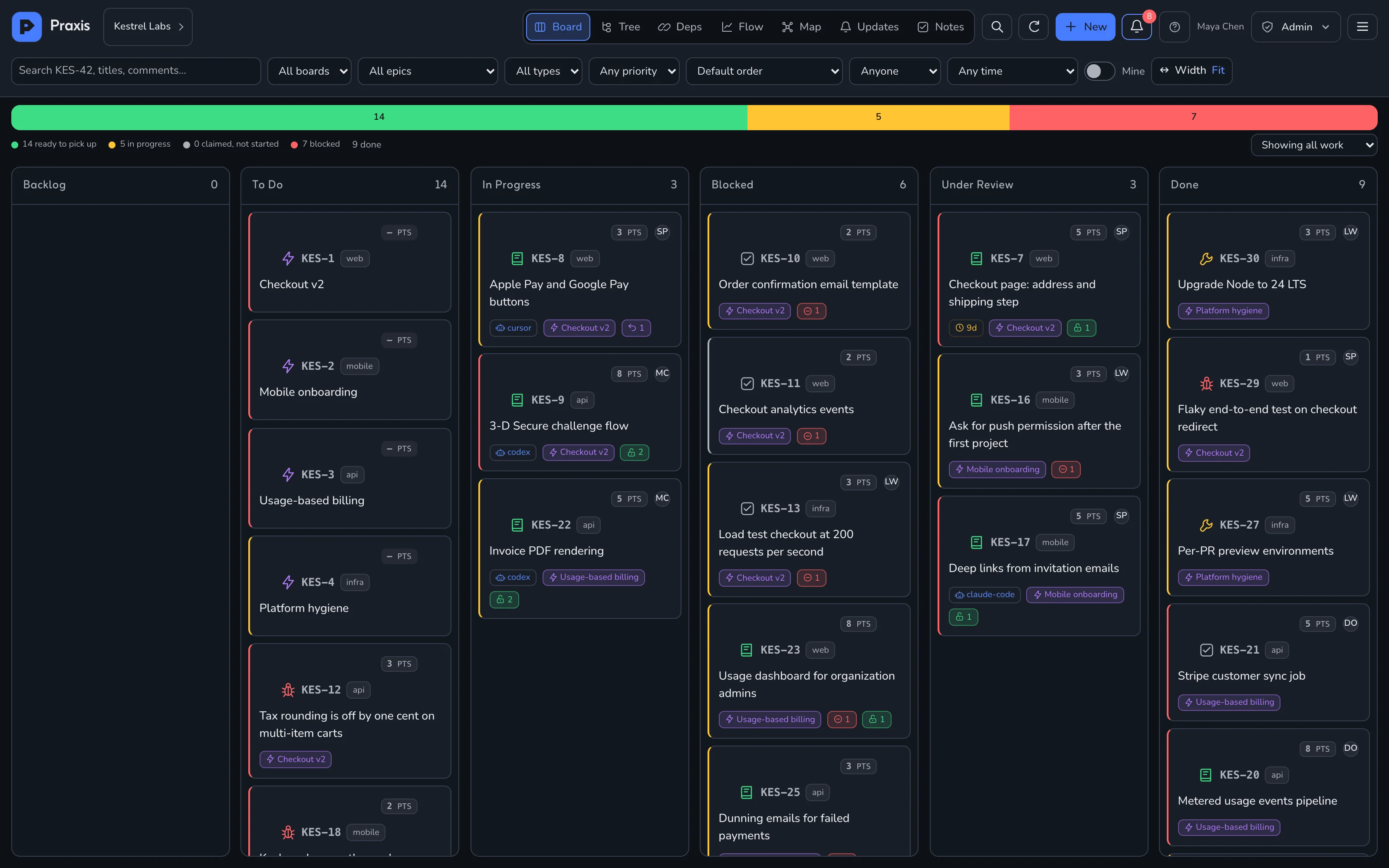
01Board
What state is everything in?
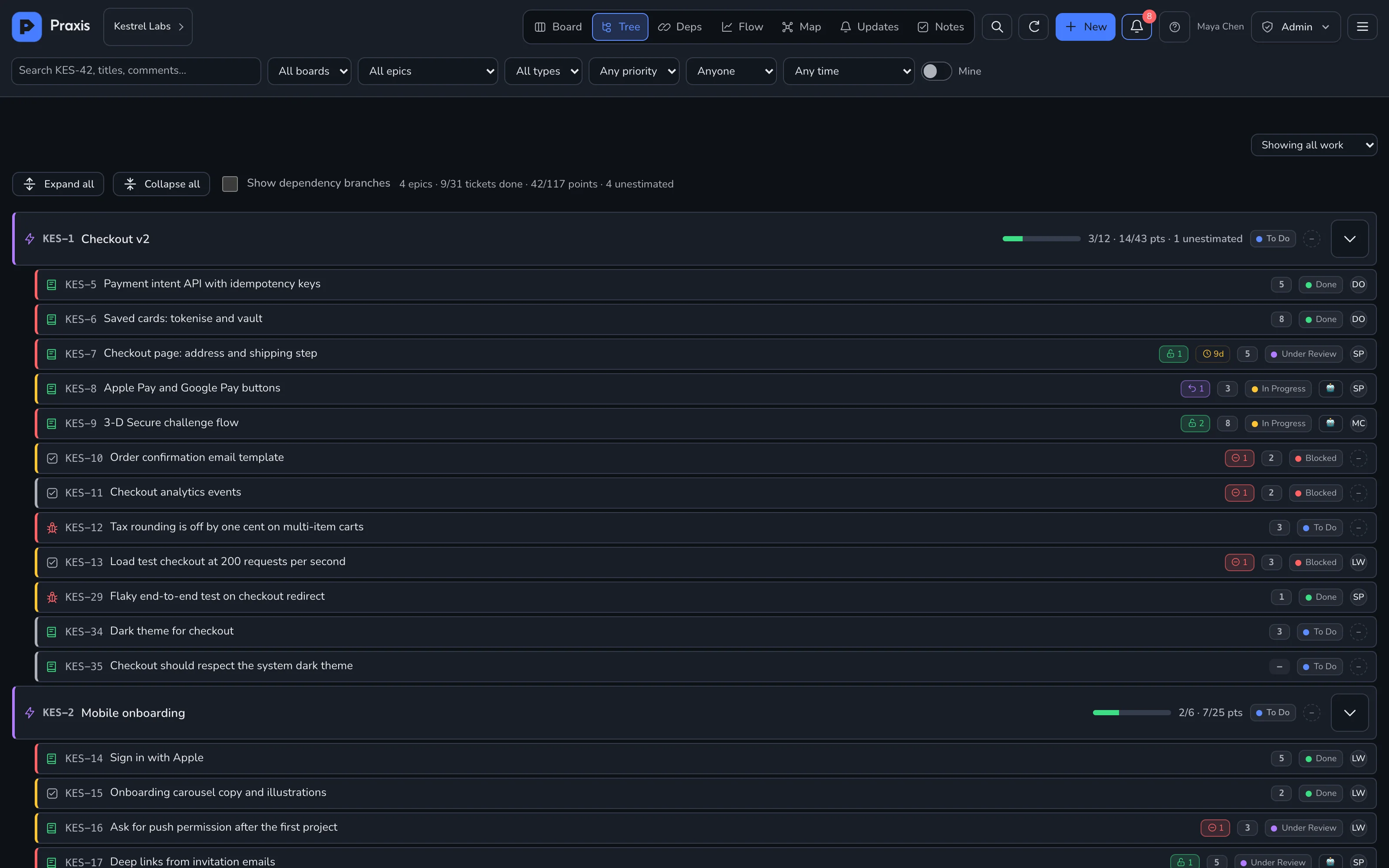
02Tree
What is this epic, really?
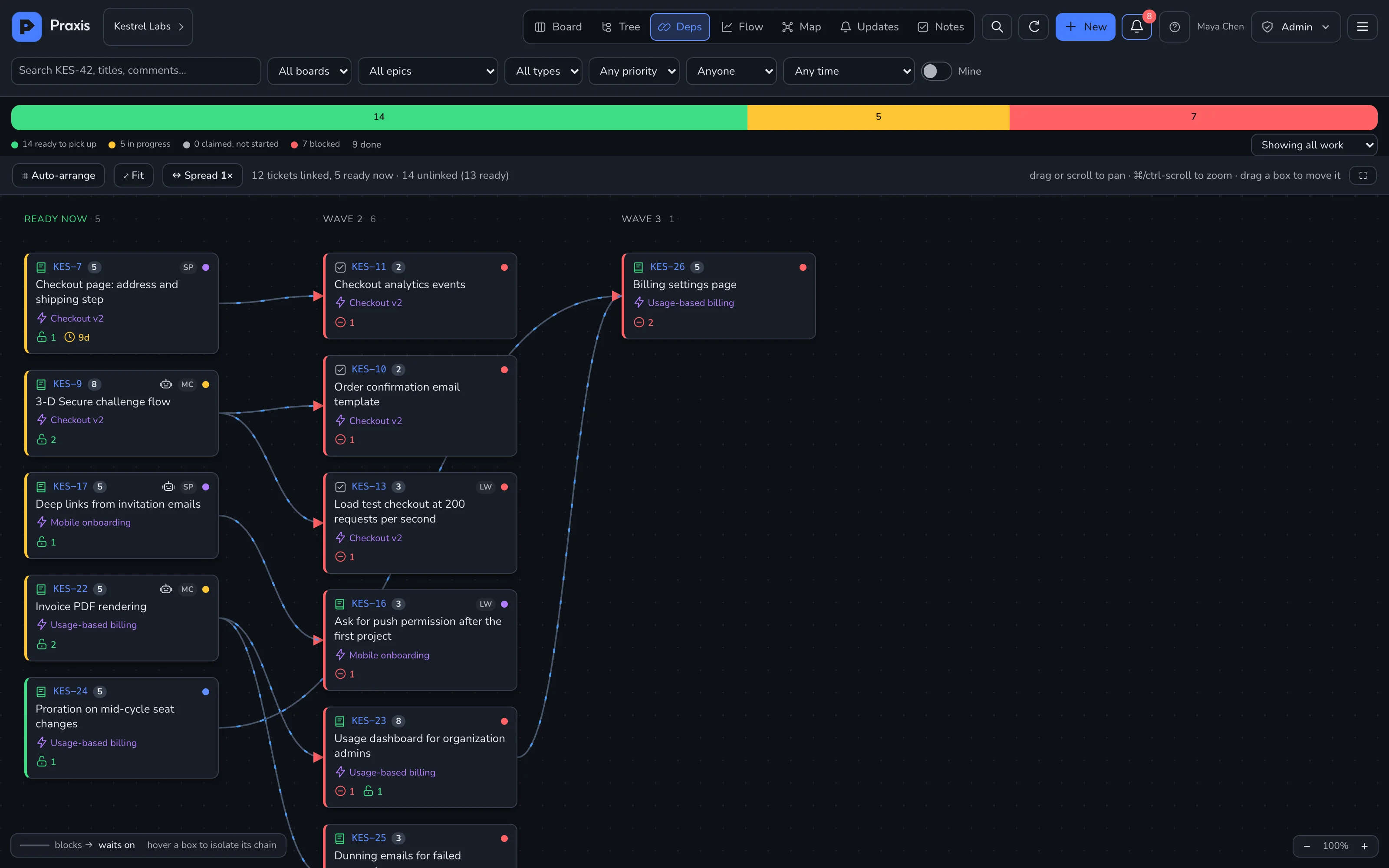
03Dependencies
What can start today?
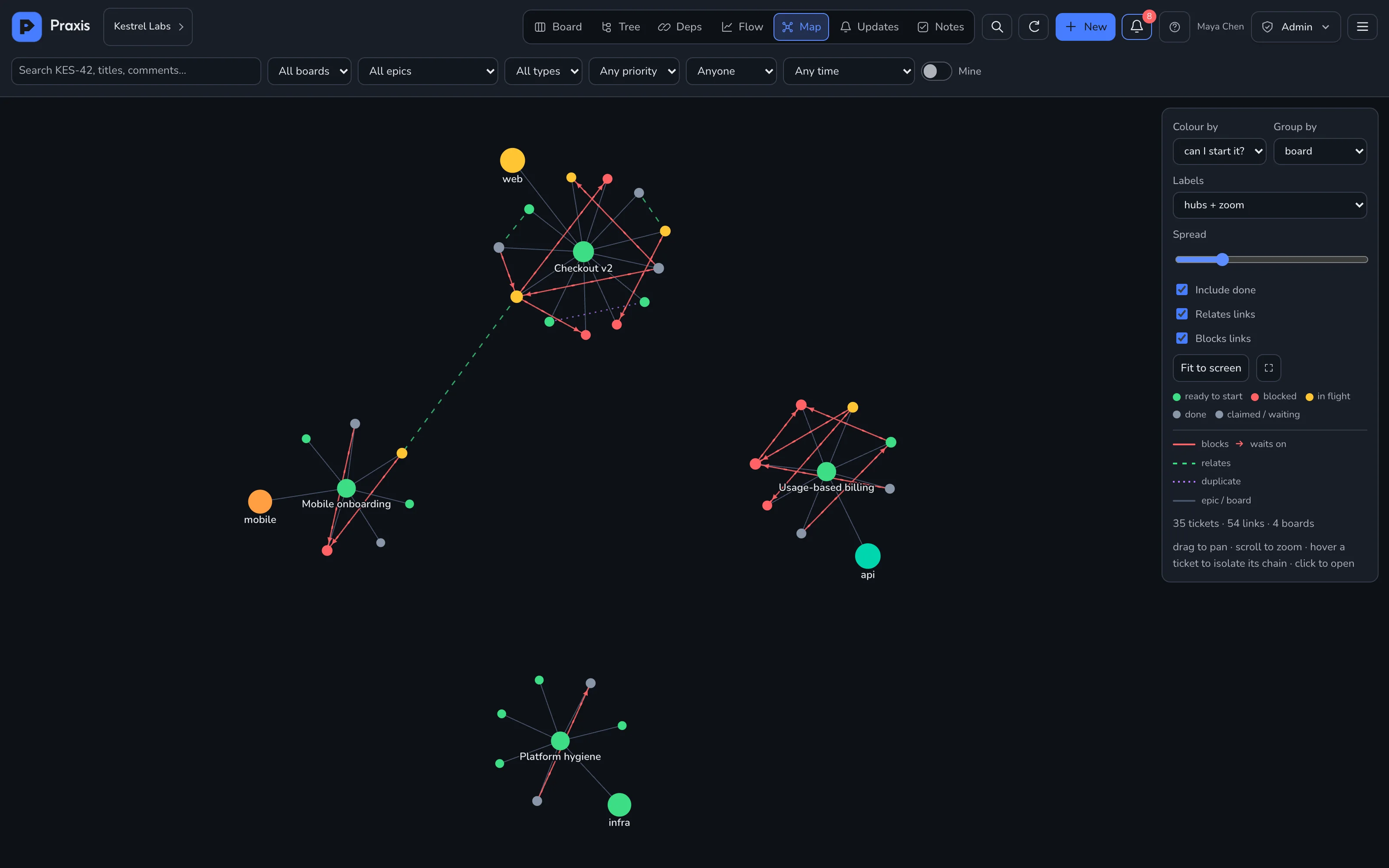
04Map
What is near what?
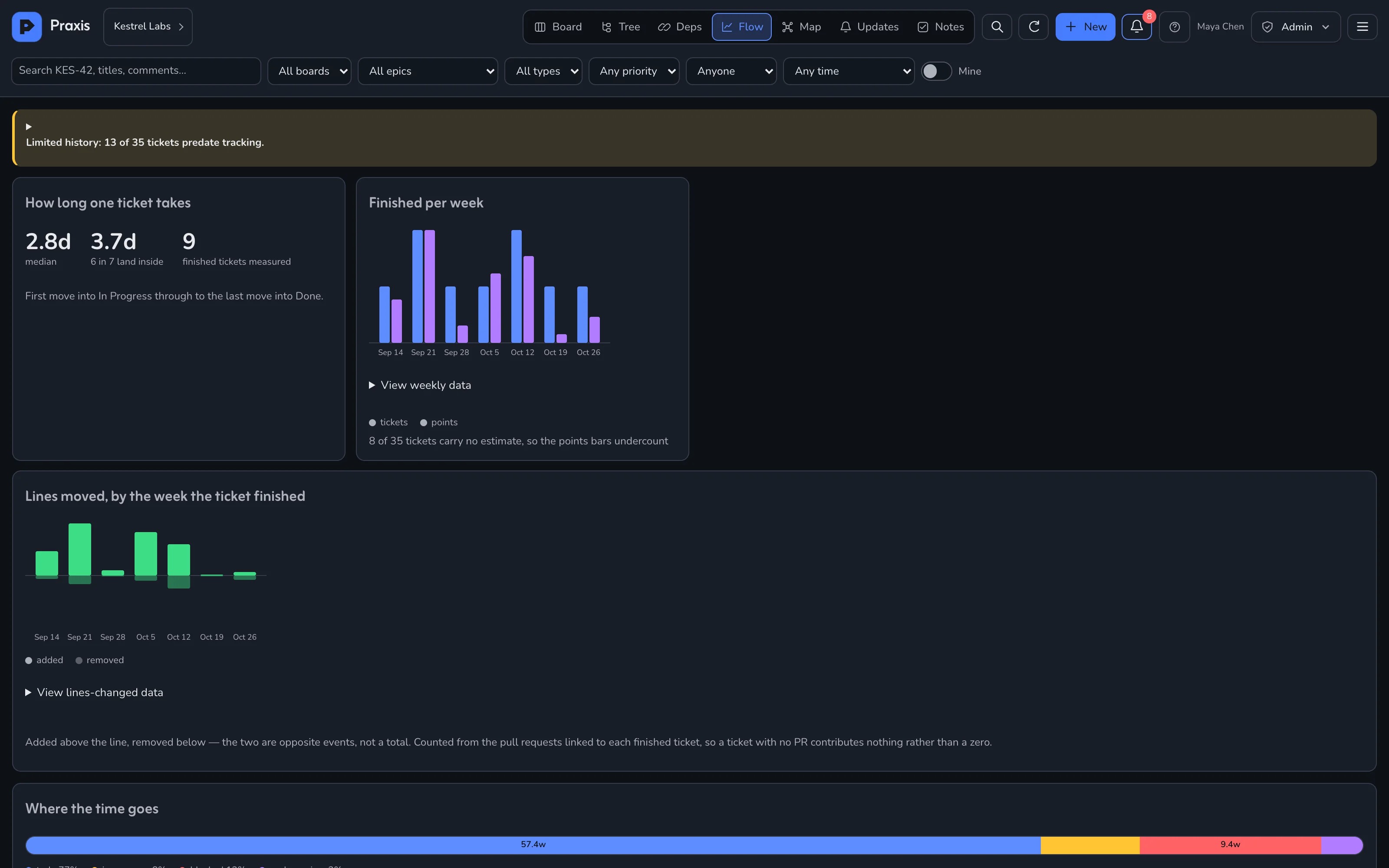
05Flow
How long does work take here?
04
Notes
Notes your agents can tick off.
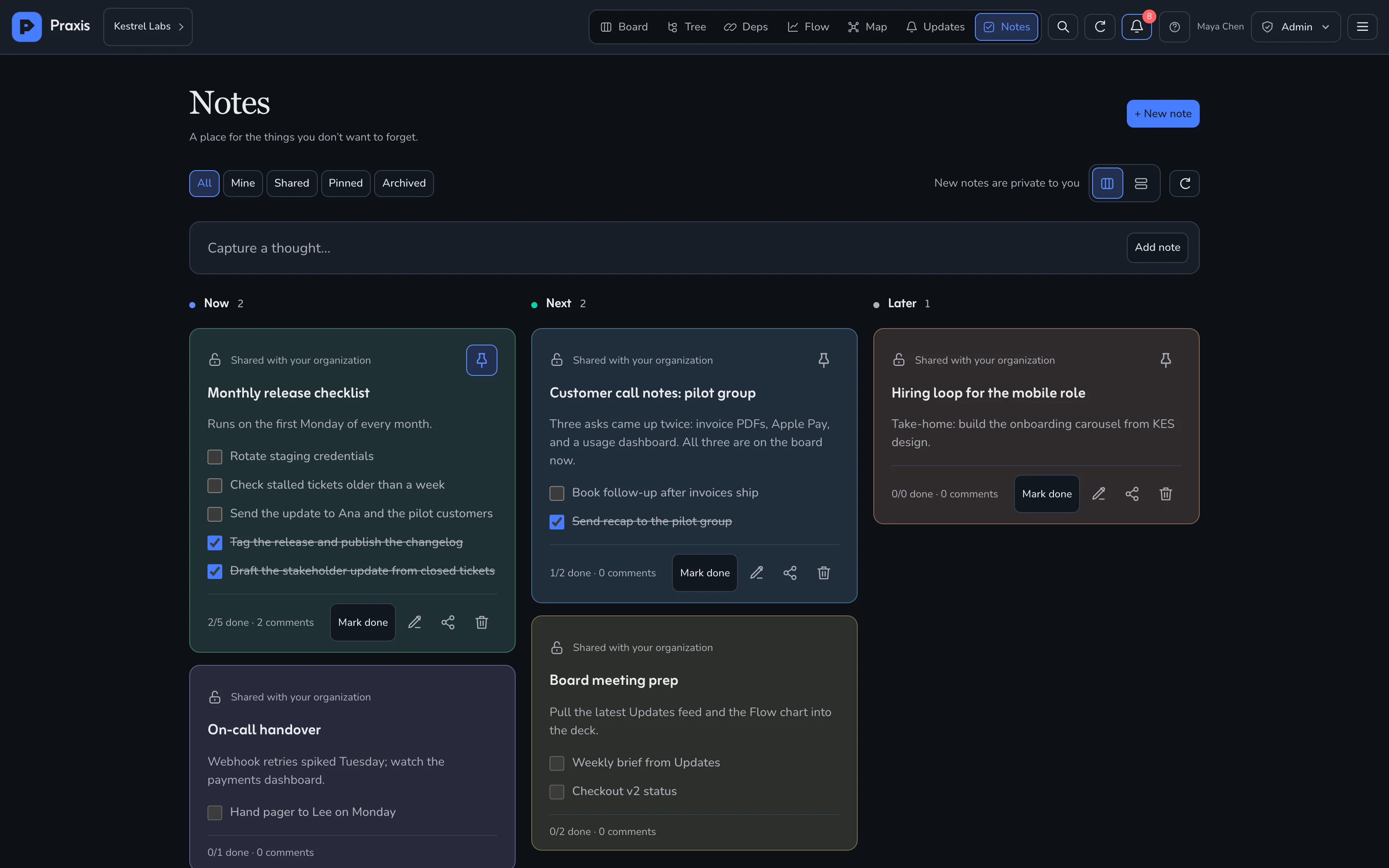
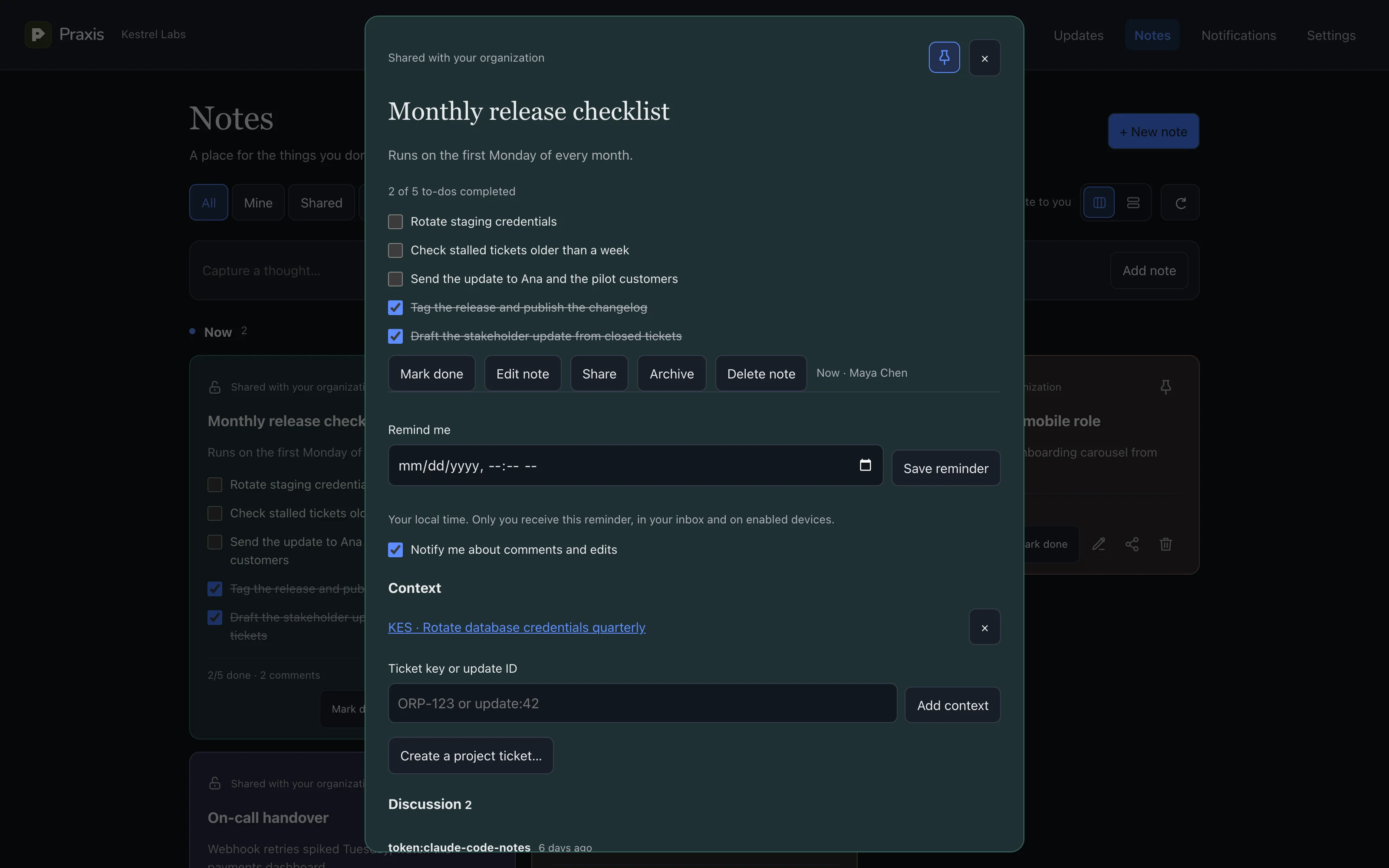
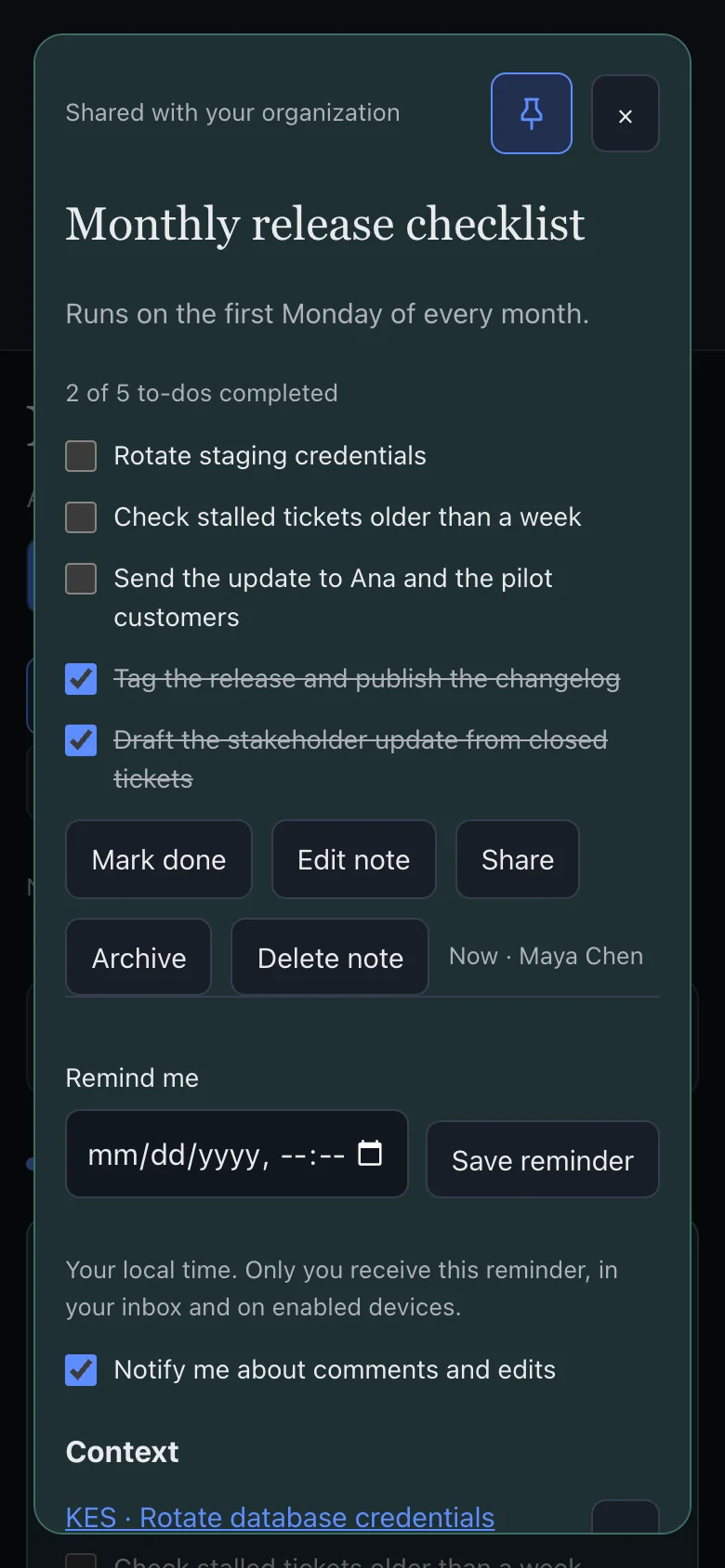
- Private by default
- Share with the organization when it's ready.
- Checklists
- Agents tick items as they finish them.
- Context
- Link a note to tickets or updates.
- Remind me
- In your inbox and on your phone.
05
Updates
Progress, for people who don't read tickets.
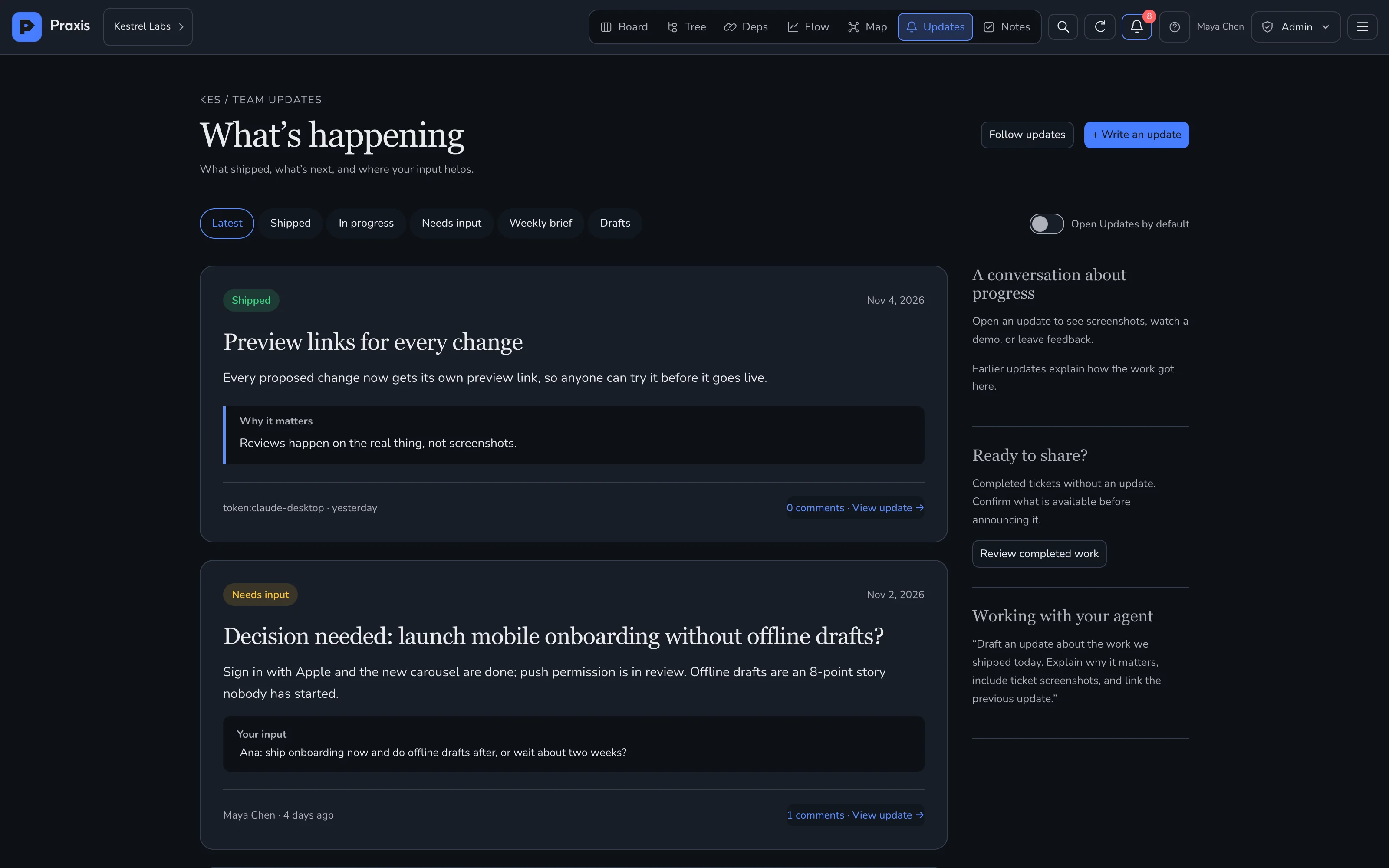
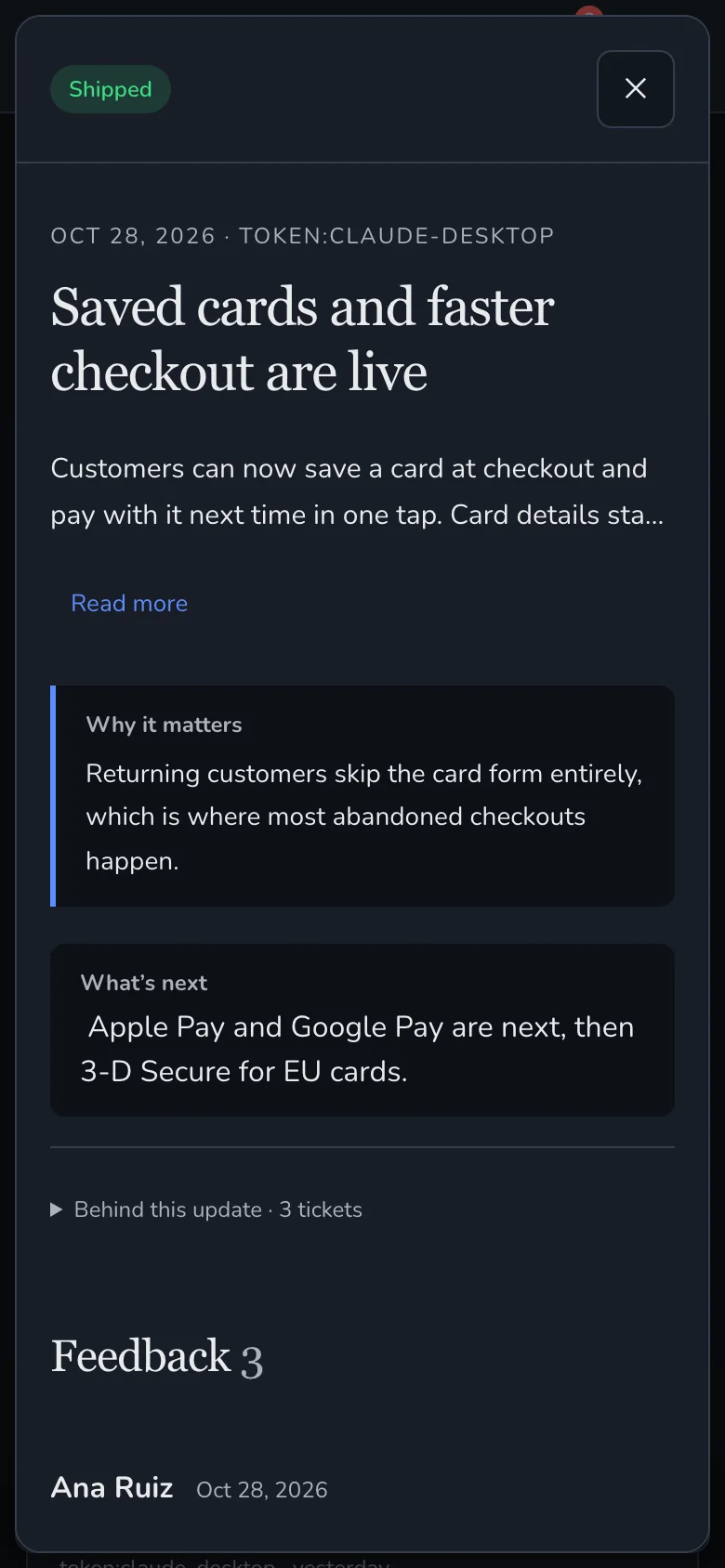
- Written for everyone
- What shipped, what's next, where input helps.
- Drafted by agents
- From closed tickets, with screenshots.
- Feedback
- Anyone comments; agents reply.
- Follow
- Get told when work ships.
06
GitHub
Push code. The board moves.
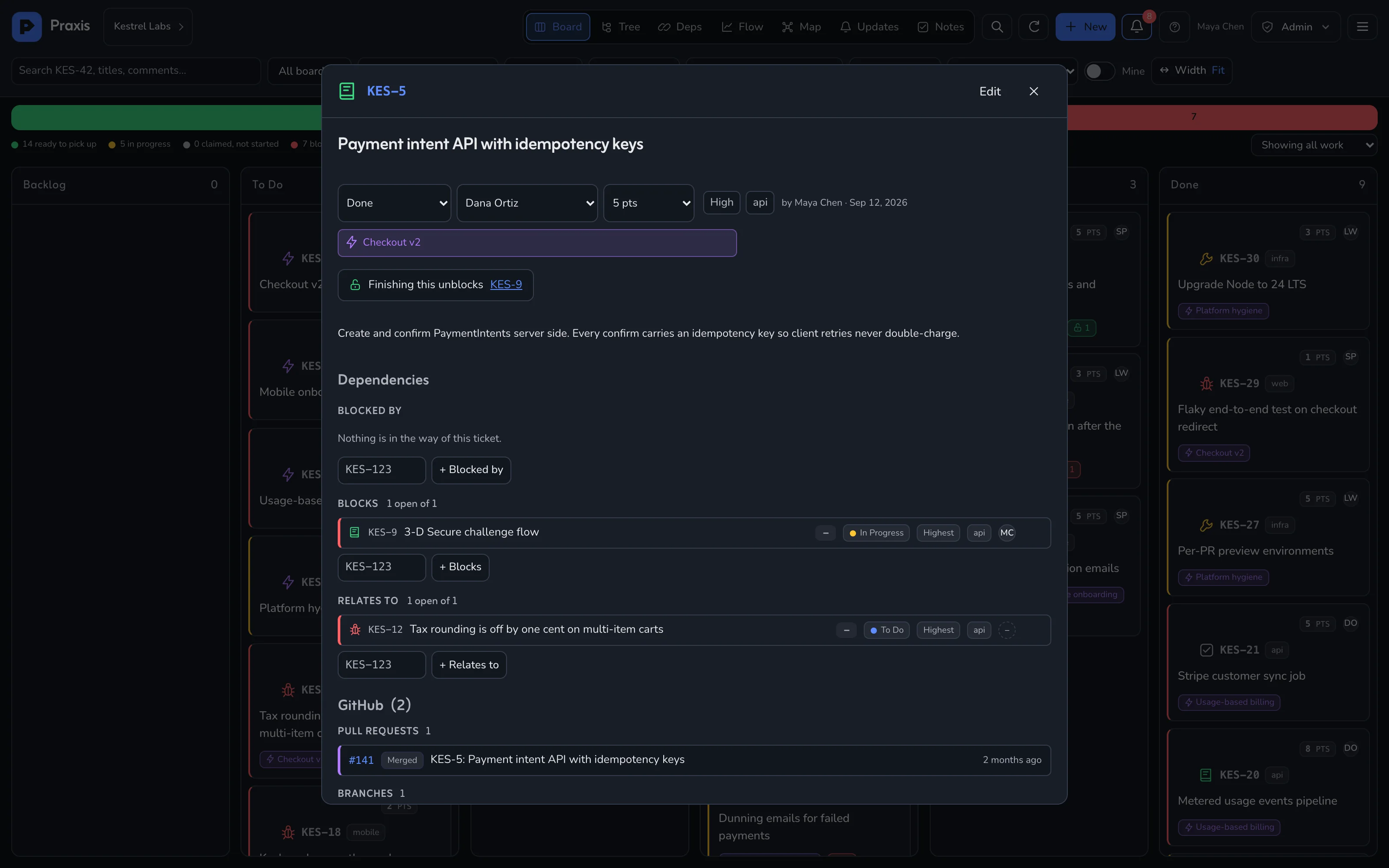
- Branch
- → In Progress
- Pull request
- → Under Review
- Merge
- → Done
- Forward only
- A late event never moves a ticket back.
- Per project
- Webhook, secret and repository allowlist.
- Size
- Lines added and removed per pull request.
07
Integrations
Wired into what you already use.
- CodeGitHubTicket keys in branches, commits and PRs link the work and move the ticket forward.
- ChannelSlackCreated, status moved and commented, posted to a channel.
- ChannelDiscordThe same three events, through an incoming webhook.
- ChannelMicrosoft TeamsThe same three events, through an incoming webhook.
- Import · every planJira, Linear, TrelloBring a project in from its export. Jira keys and epics are kept.
- Import / exportPraxis archiveA whole project, with comments and attachments, in one file.
- DevicesWeb PushMentions and assignments on iPhone, Android, Mac and Windows, through the installable app.
- AI appsEvery MCP app
- ChatGPT
- Claude
- Codex
- Cursor
- Copilot
- Windsurf
08
Phone
Install it. Get the ping.
Installs from the browser on iPhone, Android, Mac and Windows. Mentions and assignments arrive as push.
Board
Ticket
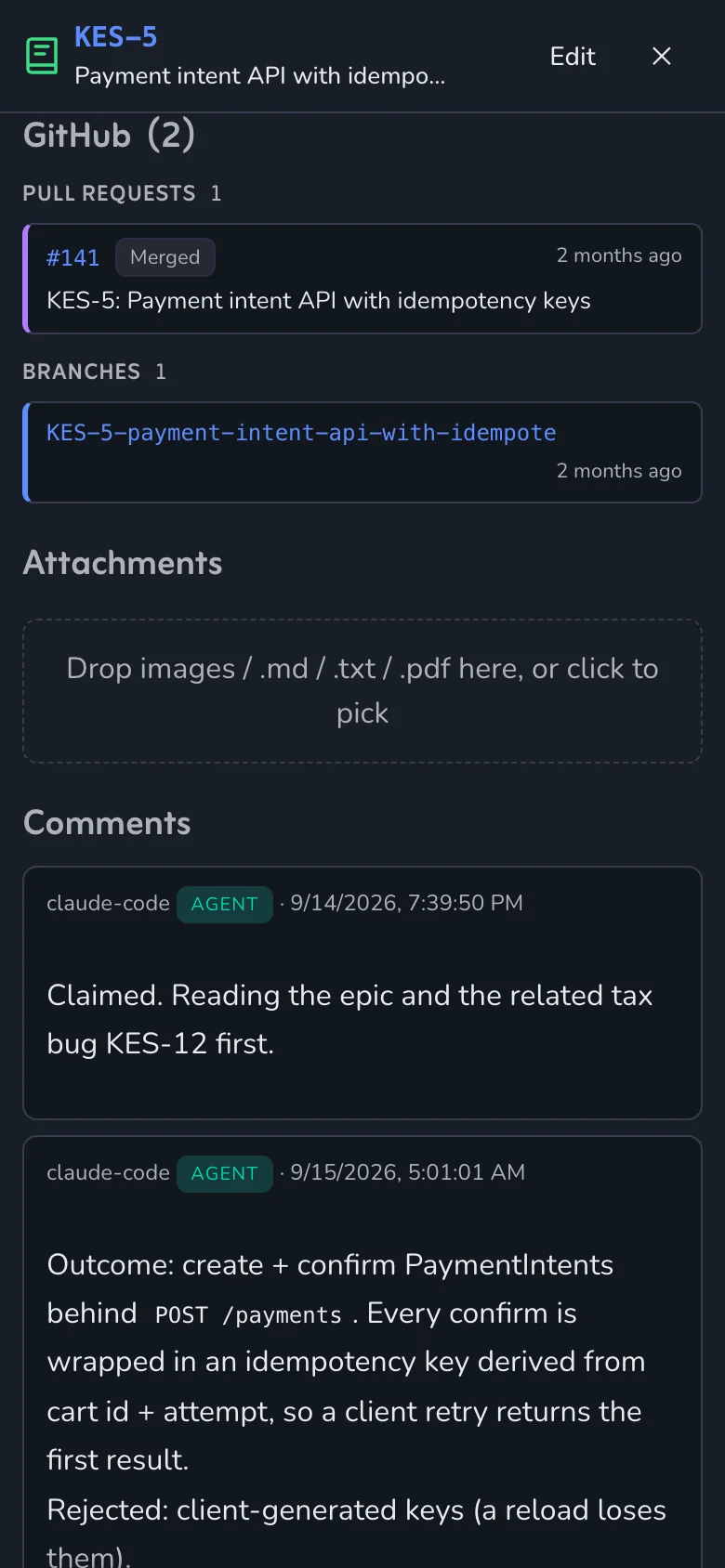
Linked PR
Update
Note
09
Admin and security
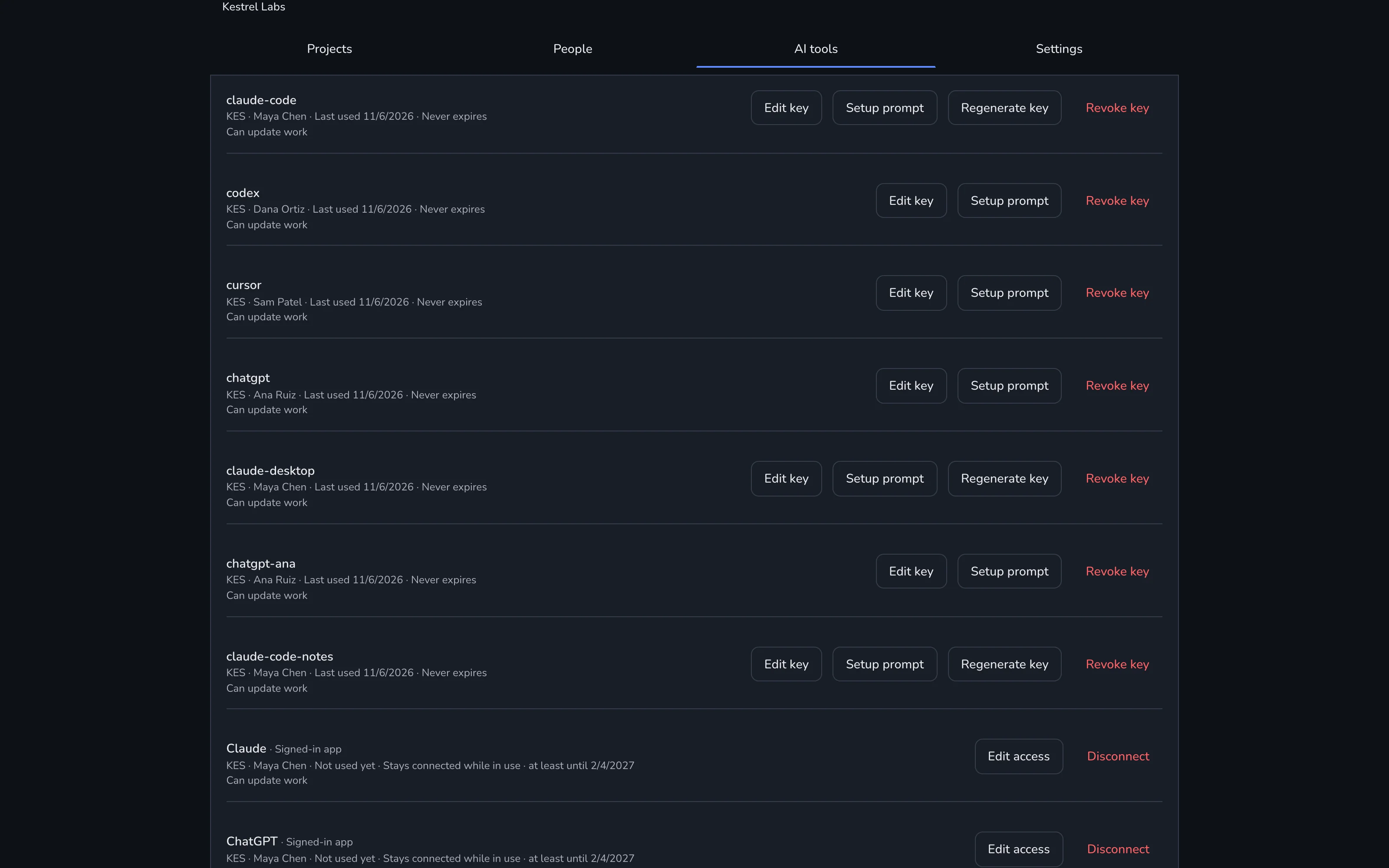
You decide what each app can touch.
- Roles
- Admin, member, viewer, per organization.
- Per-project consent
- Each AI app gets only the projects you pick.
- Read-only apps
- Let an app look without changing anything.
- Disconnect
- Any app, any time, from Settings › AI tools.
- Short-lived sign-in
- Access tokens last an hour; refresh rotates.
- Your data
- Export a whole project whenever you like.
Start
Let your agents keep the tracker.
Sign up free, name your organization and connect your first AI app. Free for up to 2 people, with unlimited agents.